Guide
How do I show my neurologist my symptoms between visits?
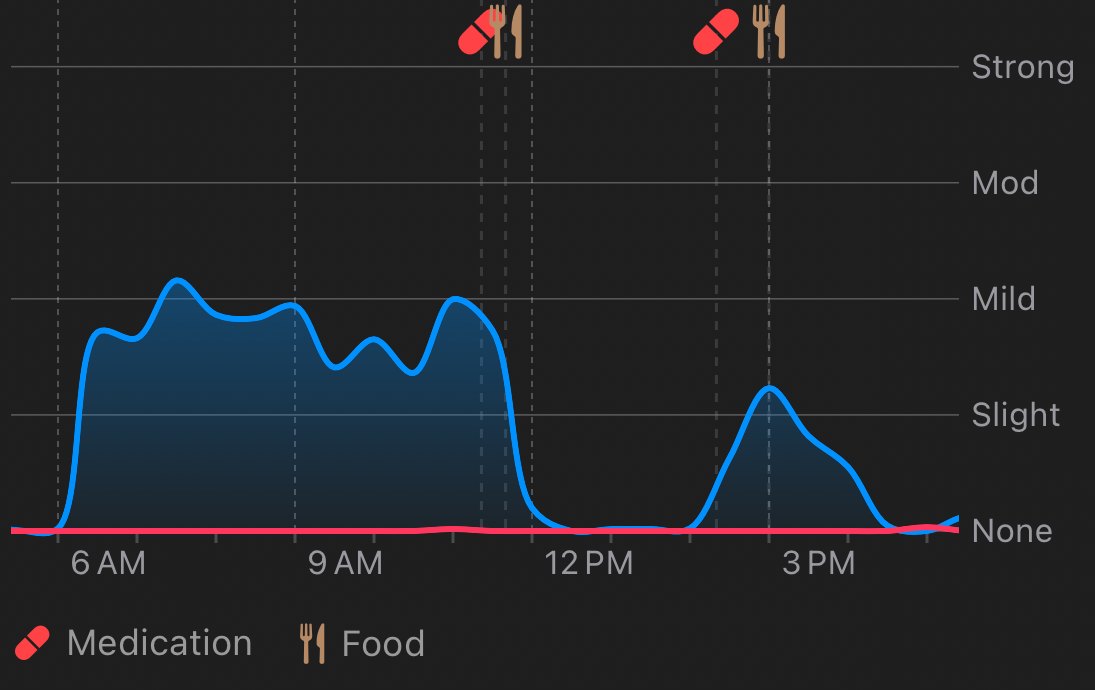
A clinic visit sees you for a few minutes, often at a good or bad moment that is not typical. Kampa records the weeks in between: tremor and dyskinesia passively with an Apple Watch, the symptoms and doses you log, and short movement checks - then turns it into a report with the period each part covers.
Three kinds of record
- Passive - tremor and dyskinesia through the day, without you doing anything, if you wear an Apple Watch.
- Logged - doses, seventeen non-motor symptoms rated None to Severe, meals and therapies. A good day is recorded too, so the history is not made only of bad ones.
- Tested - movement checks you choose to do, matched to the movements a neurologist examines by hand, including slowness, which a watch cannot measure.
Why the period matters
Every part of the report says which days it draws on. A finding resting on three weeks reads differently from one resting on four months, and the report shows both rather than blending them.
Before the appointment
Make the report a day or two ahead, read it yourself, and mark the one or two things you most want to ask about.
More guides: Track tremor and dyskinesia all day with an Apple Watch · See how long each dose holds, and the gaps between doses · Keep medication, meals and movement on one timeline · Track Parkinson's with just your iPhone · See whether protein near a dose changes how it works for you · Turn weeks of tracking into a report for your appointment · What an app records that a diary cannot - and the reverse · Kampa is free, with no subscription or account · Start simple: see how your symptoms change through the day · Log constipation, fatigue, mood and 14 more in one tap · See whether your sleep moves your next-day tremor · See whether each kind of exercise moves your tremor and walking · Log doses with one tap, and meals and symptoms by voice · Log pump settings and see your tremor within each one · Questions to ask before you choose a tracking app
Try it on your own record
Kampa is free on the App Store, with no subscription and no account to create. Questions? info@kampa.health reaches the people who build it.
Kampa is a personal tracking tool, not a medical device. It does not diagnose, treat or give medical advice, and it never suggests a change to your medication.